 Ate-bit
Everything your kitchen needs,in one 8-bit app
Ate-bit connects the three things every household juggles separately: what you have, what you'll cook, and how to cook it. Here's the full tour.
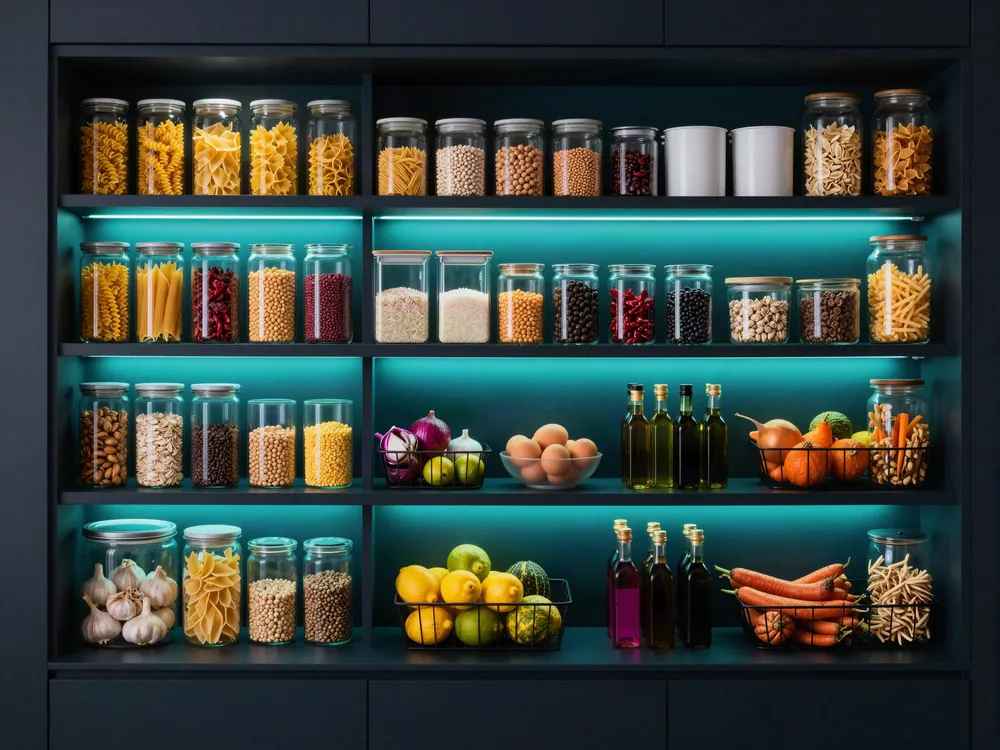
What's in your kitchen right now?
Your pantry is the save file everything else builds on. Ate-bit keeps a live inventory of what's on your shelves, so meal planning starts from what you actually have instead of a guess.
- Import grocery receipts to stock the pantry in seconds, including pulling e-receipts straight from Gmail.
- Track items by weight or amount, so half a bag of flour counts as half a bag of flour.
- Organize everything with categories that match how your kitchen is actually laid out.
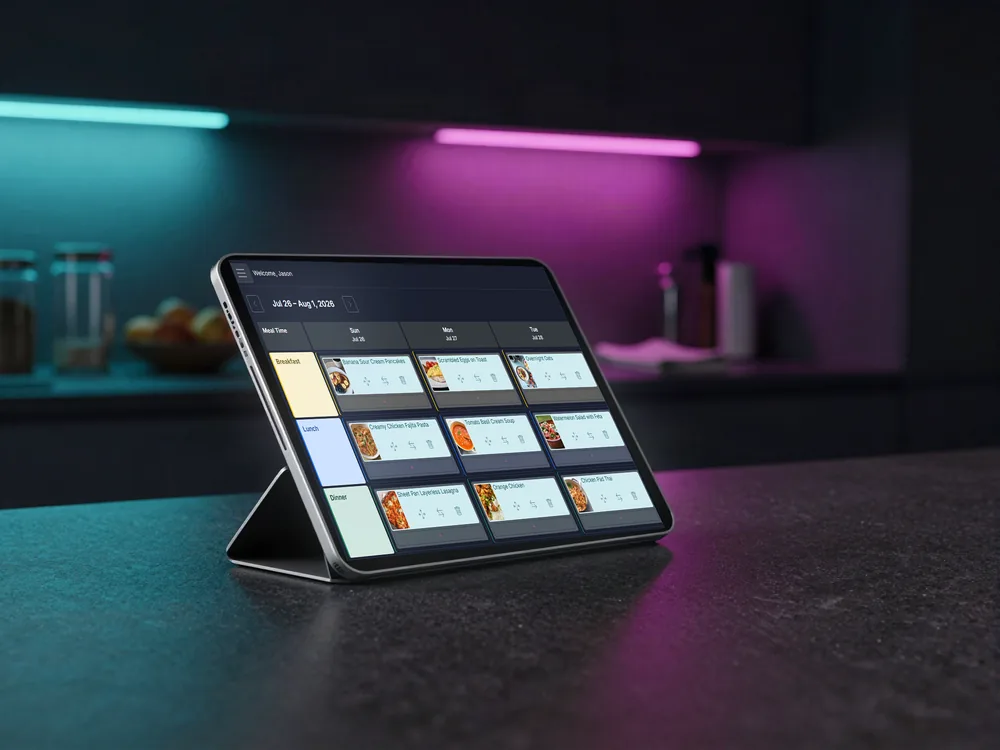
What's for dinner this week?
Lay out the whole week on one board, so "what's for dinner?" is answered before anyone asks. The plan and the pantry stay in sync automatically.
- Set up your own meal times: breakfast, lunch, dinner, snack, second breakfast, whatever your household runs on.
- Assign recipes to any day and meal time with a couple of taps.
- Mark a meal cooked and Ate-bit deducts the ingredients from your pantry for you.
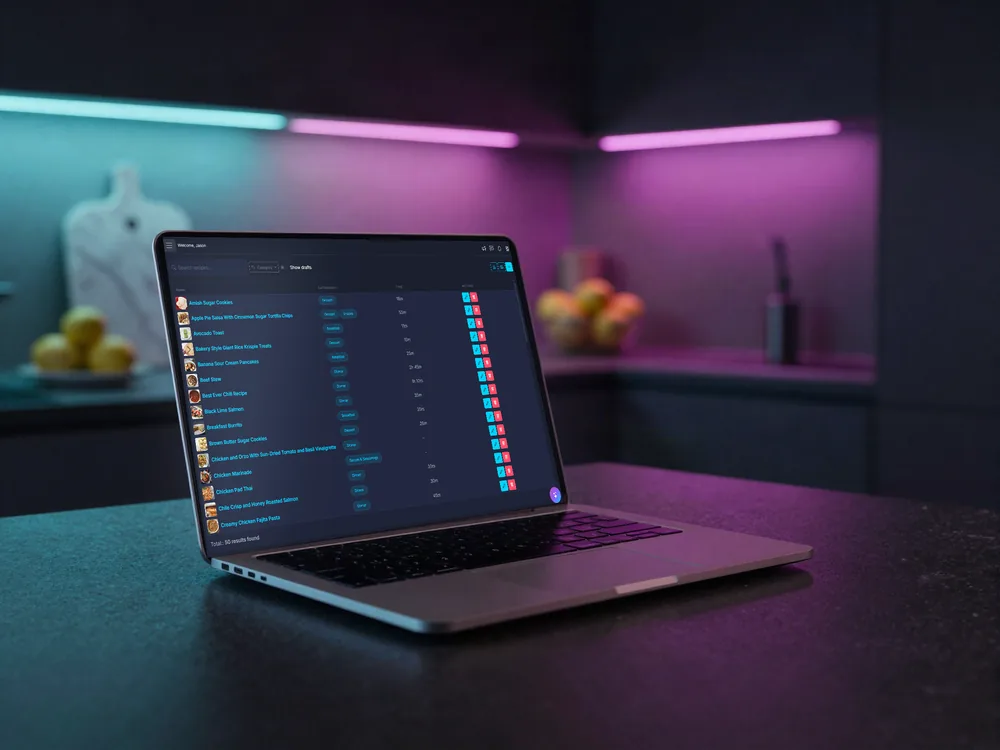
Where do all your recipes live?
Stop hunting through bookmarks, screenshots, and that one stained cookbook page. Ate-bit collects your recipes from anywhere and makes them smarter once they're in.
- Import from recipe websites, snap a photo of a cookbook page, or clip pages with the browser extension.
- Duplicate detection spots when you're about to save the same recipe twice.
- Nutrition is computed from the ingredients, no manual calorie math required.
- Share any recipe with a link that anyone can open, no account needed.
Why does it get more accurate instead of less?
Most pantry apps turn into a junk drawer: the same item three ways, a calorie count from nowhere. Ate-bit keeps one name for each thing and a source behind every number, and it learns from use, so it only ever gets better.
- One record per product, however the receipt spelled it, so the flour you bought last month and the flour you bought today are the same flour.
- Nutrition, density, and shelf life are kept once per product, and every figure keeps a note of where it came from.
- When a name matches nothing, Ate-bit asks rather than guesses, and the miss is kept so it can be fixed for everyone.
- Your edits always win. Rename a product, fix a figure, or move an aisle, and your version sits on top of the shared one.
- Name a brand or category nobody has used before and it is yours right away, checked once, then known.
- Nothing is overwritten. A better source adds to a product's record rather than replacing it, so a fact can be improved but never lost.
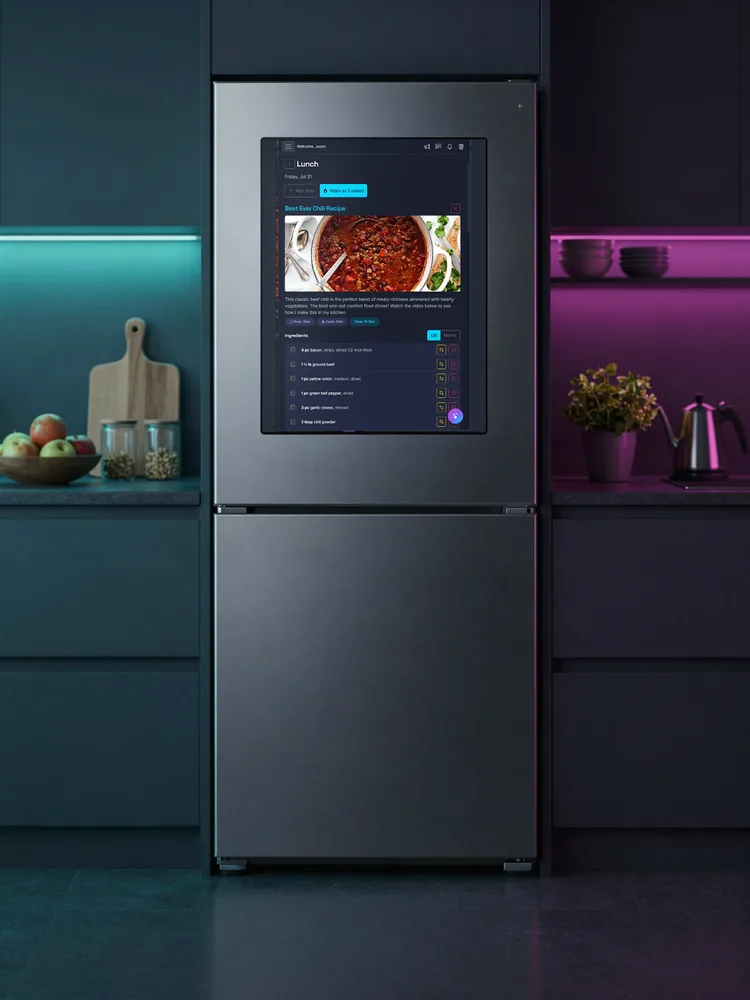
Does it really run on your fridge?
Not a companion widget, the whole app. Ate-bit runs full-screen on the Samsung Family Hub door, right where the food decisions happen.
- A portrait touch interface designed for the fridge door's screen, with big targets for messy-handed cooks.
- Check the plan, browse recipes, and update the pantry without picking up your phone.
Can Nibble plan the meals for you?
Nibble is built into Ate-bit and knows your kitchen: what is in your pantry, which recipes you keep, and what you have already planned. Ask in plain words and it works on your own food rather than on a generic list of meals it found somewhere.
- Ask for a week of dinners and it draws the plan straight onto your meal plan, where you can look it over before anything is saved.
- Paste a grocery order or drop in a receipt and it stocks your pantry from what you actually bought.
- Ask what you can make tonight and it answers from what is on your shelves right now.
- Anything it cannot undo, it asks you about first, in plain words about what would actually be lost.
- Tell it how your household eats, whether that is a dislike, a diet, or that Tuesday is taco night, and it keeps the note. These come up naturally in conversation while you plan, rather than in a form you have to fill in first.
- Every one of those notes is yours to read, change or delete in your household settings, and you can see which are yours and which apply to everyone.
Can you use Ate-bit from Claude?
Nibble knows your kitchen from inside Ate-bit. If you already talk to Claude Desktop, or to any other assistant that speaks MCP, you can give it the same view. It reads and updates the same recipes, pantry, meal plan, and shopping lists you see in the app, so you can ask about your own food without leaving the assistant you already use.
- Generate a key in your settings, then point Claude Desktop or another MCP client at your own kitchen.
- Ask what you can cook tonight, plan a week of dinners, or add to the shopping list, and the answers come from your real kitchen rather than a generic list of meals.
- The key is yours alone and reaches only your household. Revoke it whenever you want and it stops working straight away.
How do you save a recipe you found online?
You're reading a recipe on somebody else's site. Click the Ate-bit button in your Chrome toolbar and the recipe lands in your collection with its ingredients already pulled apart, instead of becoming a bookmark you never open again.
- Download your own copy from your settings. Your key is already inside it, so there's nothing to copy or paste.
- It isn't in the Chrome Web Store. You unzip the folder and load it through Chrome's developer mode, and the download page walks you through each step.
Ready to press start?
Create your household in a couple of minutes, stock the pantry, and plan your first week of meals.